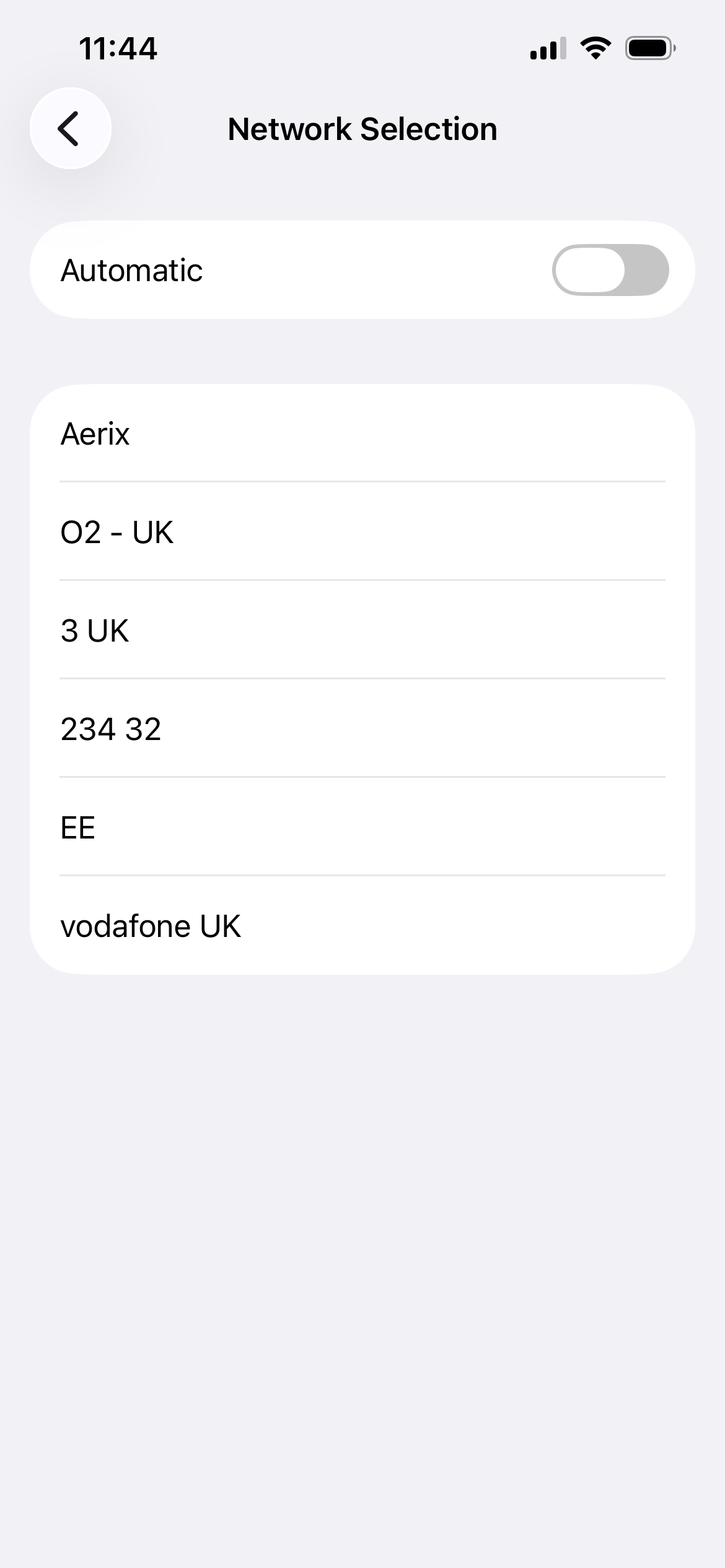
To perform a manual network selection on a handset you are taking it out of Automatic search into Manual search, this is predominantly only used when roaming. If you have landed in a zone that isn't UK and normal EE coverage, then it is sometimes necessary to tell the phone to look for signals so you can manually select which one. As described in the screen shots below.
Step 1
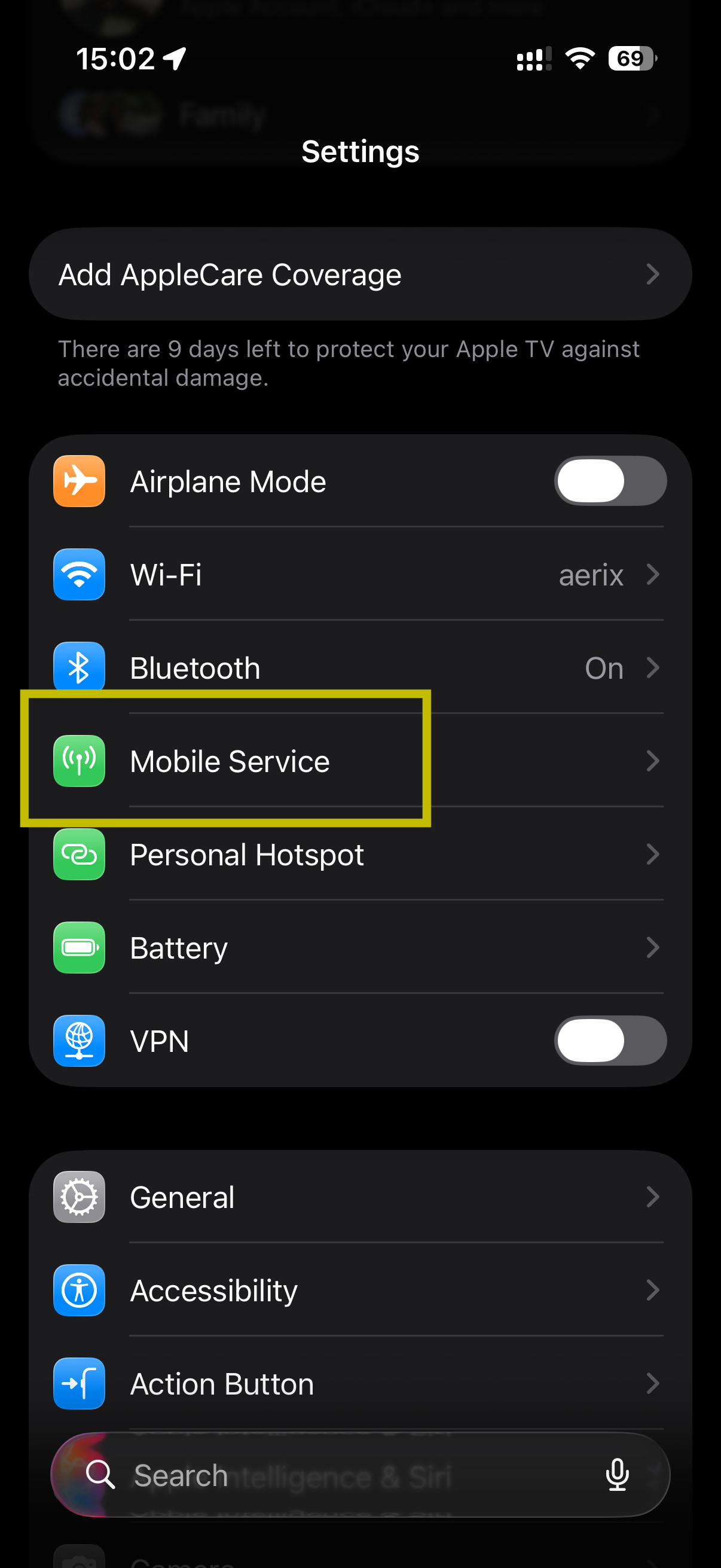
From the home screen, find or search for your Settings menu. Once there, please find the Mobile Service menu and click it.
Step 2
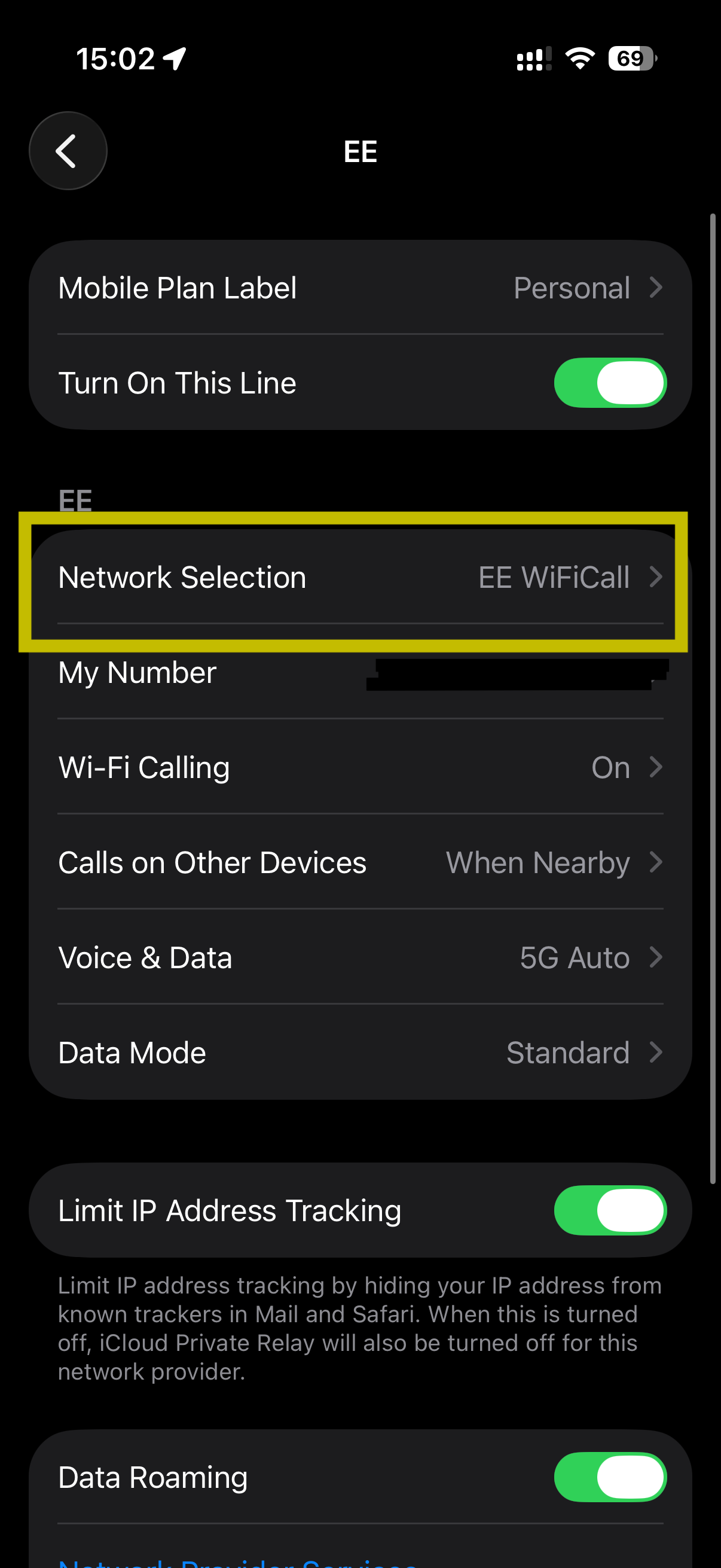
Once you are inside the Mobile Service menu, scroll to look for to find the Network Selection menu and click into it.
Step 3
Inside the Network Selection menu, press the toggle button off (as highlighted below)


The final Step
Step 4
When the button is turned off you need to wait a few seconds for the menu to show you the available signals, here is an example. It is worth noting when in other countries, the list of available signals will vary, for examples France might show SFR, Orange FR and Bouygues, whereas Spain might show Movistar and Free.